
Continue From a Prominent View Into Active Browsing
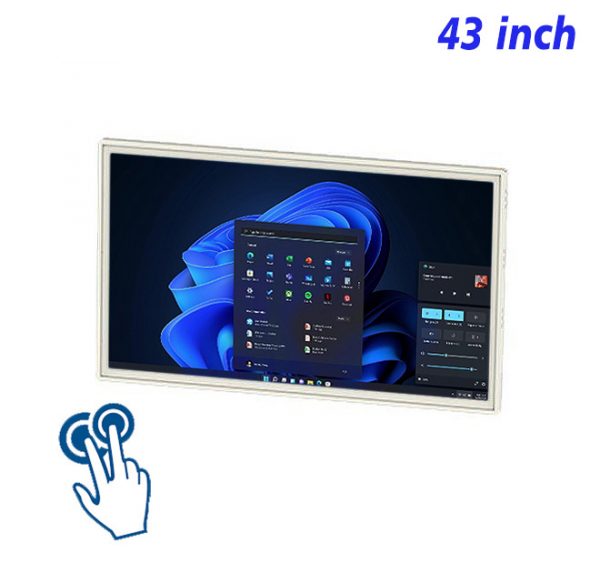
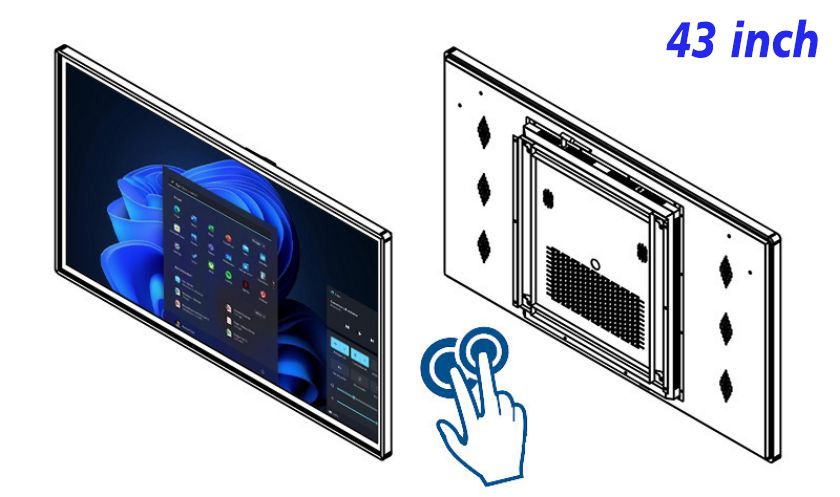
The display surface is the first selling point. Product imagery, campaign artwork, video, brand stories, schedules and priority information can occupy one controlled digital canvas. A clear visual hierarchy lets the main message remain visible while supporting using a 43 inch wall terminal for dynamic presentation, touch browsing and multimedia application operation.
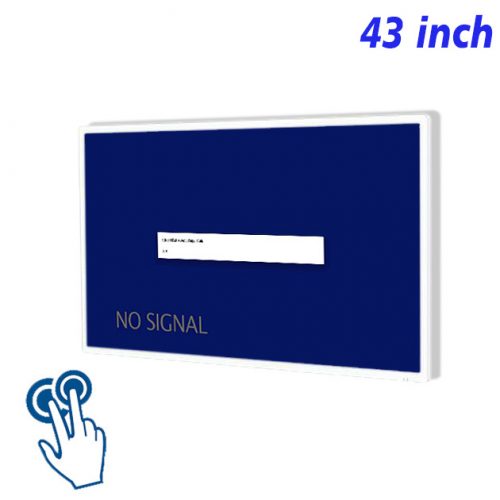
The 43 inch interactive wall mounted PC provides a display format suited to using a 43 inch wall terminal for dynamic presentation, touch browsing and multimedia application operation. The practical large view presents a main visual before touch opens categories and details, while wall mounting keeps floor space clear. Page design should use the real ratio instead of stretching unrelated media or filling the view with text that becomes unreadable at the intended distance.
Unlike printed graphics, digital media can be revised without producing a complete new physical poster set. For using a 43 inch wall terminal for dynamic presentation, touch browsing and multimedia application operation, every update should review image quality, spelling, prices, dates, links, page order and playback duration so expired or inconsistent information does not remain visible.
Core Components of an Interactive Wall PC
The 43 inch interactive wall mounted PC is a commercial digital display built around using a 43 inch wall terminal for dynamic presentation, touch browsing and multimedia application operation. Its product value comes from the relationship among the screen, enclosure, digital media and deployment form rather than one fixed application label. The practical large view presents a main visual before touch opens categories and details, while wall mounting keeps floor space clear.
Touch operation lets viewers select, swipe, open categories and continue into details instead of receiving only scheduled playback. For using a 43 inch wall terminal for dynamic presentation, touch browsing and multimedia application operation, controls and page depth should match the screen orientation and expected operating distance, while noninteractive versions should keep playback order and message timing easy to follow.
Use 43 Inches for Multimedia Pages
The 43 inch interactive wall mounted PC can support more than one content theme. Hardware does not need to change whenever a product range, campaign, menu, service description or information priority changes. Updating the connected content system lets the same display respond to new communication needs.
System Software and Content Management
Content capability depends on the integrated computing platform. Confirm the operating environment, media formats, network method, scheduling software, storage requirement and any touch or peripheral compatibility before deployment. The complete configuration should support using a 43 inch wall terminal for dynamic presentation, touch browsing and multimedia application operation without adding an unverified system version.
Before selection, define the content task, orientation, viewing distance, operating time, update method and required integrations. Selection for using a 43 inch wall terminal for dynamic presentation, touch browsing and multimedia application operation should verify every necessary peripheral or environmental feature separately when the original information does not list it.
Installation Position and Operating Height
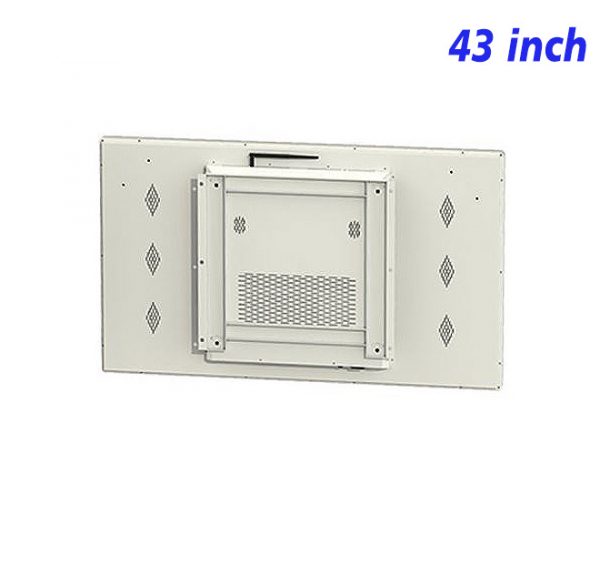
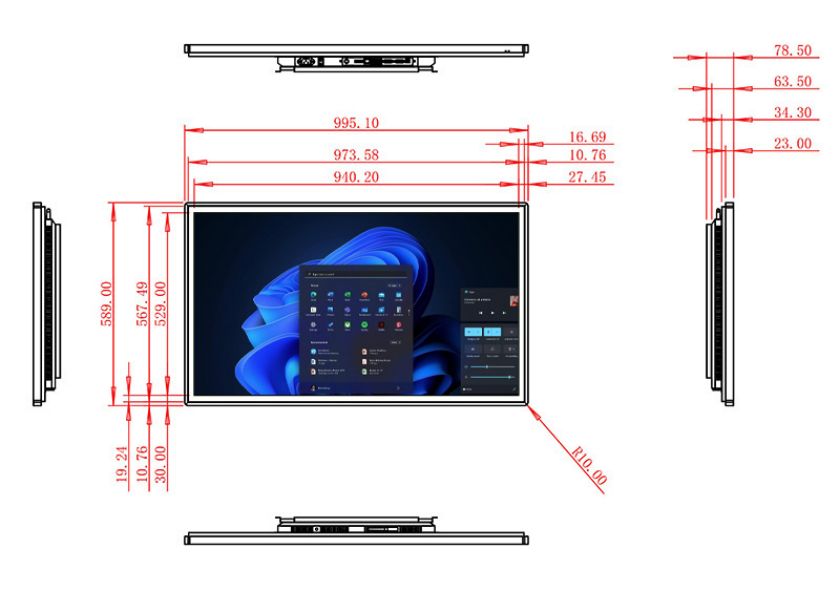
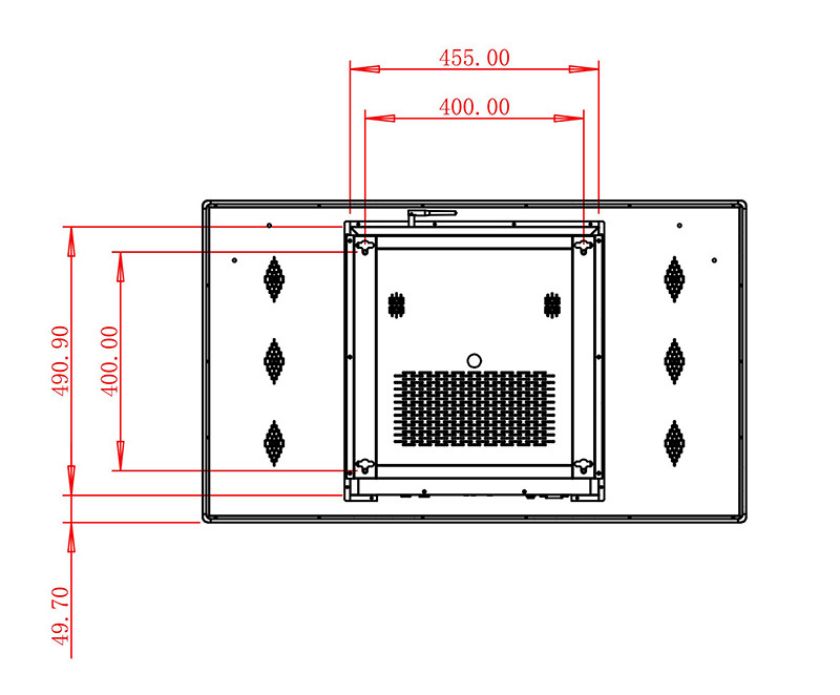
The enclosure is part of the product advantage. For using a 43 inch wall terminal for dynamic presentation, touch browsing and multimedia application operation, its color, proportion, edge treatment, base or mounting form affects how the screen fits the surrounding visual language. Structural decisions should also preserve stability, cable routing, ventilation and service access.
Placement should be decided around viewing direction, approach path, power, network availability and maintenance clearance. When planning using a 43 inch wall terminal for dynamic presentation, touch browsing and multimedia application operation, freestanding products require stable floor support, while combined or touch products also need comfortable operating height and clear circulation.
Touch-Surface Maintenance
Routine care includes cleaning the display and enclosure, checking signal or application status, inspecting power and network connections, and keeping ventilation or service areas clear. These checks protect the presentation quality required for using a 43 inch wall terminal for dynamic presentation, touch browsing and multimedia application operation.
For using a 43 inch wall terminal for dynamic presentation, touch browsing and multimedia application operation, the product combines visible digital media, a purpose-designed enclosure and flexible content control. Its advantage is the ability to present a strong opening message and continue delivering useful information as communication priorities change.
FAQ About the 43 inch interactive wall mounted PC
What is the main advantage of this 43 inch display?
Its main advantage is using a 43 inch wall terminal for dynamic presentation, touch browsing and multimedia application operation. The practical large view presents a main visual before touch opens categories and details, while wall mounting keeps floor space clear, supporting a clear commercial presentation without limiting the hardware to one content theme.
Does the product include touch and an operating system?
Touch is confirmed for this product. The exact operating system is not specified, so its configuration must be confirmed. Software and hardware capability should be checked for using a 43 inch wall terminal for dynamic presentation, touch browsing and multimedia application operation.
What should be checked before installation or placement?
For using a 43 inch wall terminal for dynamic presentation, touch browsing and multimedia application operation, confirm structural support, power, network, cable routing, viewing or operating height, circulation clearance, ventilation and service access. Test the actual content at the intended position before final deployment.
How should the digital content be maintained?
Review imagery, text, dates, prices, links, playback order and touch controls according to using a 43 inch wall terminal for dynamic presentation, touch browsing and multimedia application operation. Remove expired material promptly and test the important display or interaction path after every update.
The 43 inch interactive wall mounted PC gains its core value from coordinated display, enclosure and content capability. With a playback or interactive configuration selected around verified functions and regularly updated media, it can continue delivering clear and attractive digital marketing.
Bring Your Digital Content to Life
Use this commercial display to present promotions, product stories, menus, guidance and brand messages in an engaging digital format. Contact the ZXTLCD sales team to explore the configuration that best matches your application.
Reviews
There are no reviews yet.