
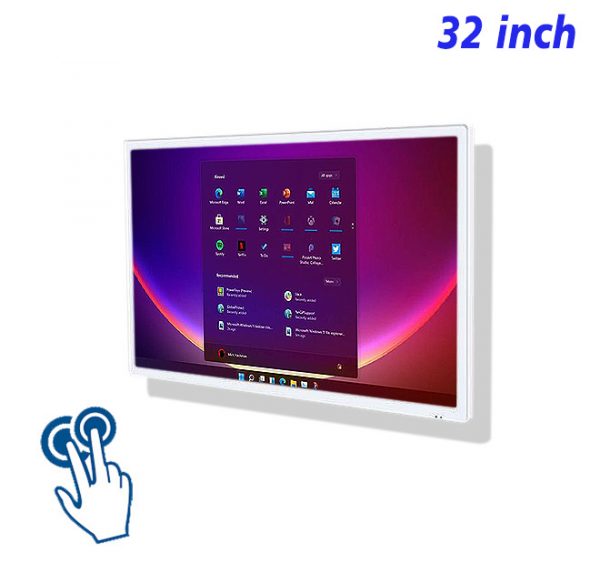
The 32 inch interactive touch screen PC centers on product storytelling in compact display areas, bringing a 32 inch view, PCAP touch and integrated Windows operation into one product experience. The page stays close to material explanation, process presentation and range exploration while naturally using related phrases such as interactive product story screen, compact showcase computer, PCAP media display. Every section returns to the product’s visual strengths, content behavior and practical application.
Open With Texture and Form
“Open With Texture and Form” determines whether this 32 inch product reaches its subject quickly. A leading visual establishes direction, concise wording confirms meaning, and touch opens the next layer. That order turns material explanation, process presentation and range exploration into a complete product experience instead of placing every available reference on the opening view.
The same idea needs review from the actual viewing distance. Image crops, heading length and control position all affect comprehension. The phrase interactive product story screen belongs naturally only where it clarifies the product’s role, never as an isolated search phrase.
Tell the Process in Short Chapters
A page built around “Tell the Process in Short Chapters” starts with the most frequent action and only then decides how much media to show. The 32 inch viewing area gives imagery, explanation and touch room to work, yet each layer still answers one question, keeping product storytelling in compact display areas relaxed and continuous.
Feedback appears as soon as an action is made, return controls remain stable, and a page transition never hides an earlier choice. The 32 inch interactive touch screen PC therefore presents content while making the browsing sequence easy to predict.
Make Every Close-Up Explain a Feature
Make Every Close-Up Explain a Feature does not require more elements; it requires a better information order. The subject and primary state read from farther away, while details and controls become available at interaction distance, balancing visual presence with close touch use.
Within material explanation, process presentation and range exploration, consistent image ratios, text scale and status color reduce interpretation. The term PCAP media display then describes part of the same product experience rather than opening an unrelated topic.
Keep a Common Scale Across the Range
The practical test of “Keep a Common Scale Across the Range” is whether the next action feels natural. Select, continue, return and reset stay in familiar positions. Motion never conceals the content, and decoration does not compete with the product itself.
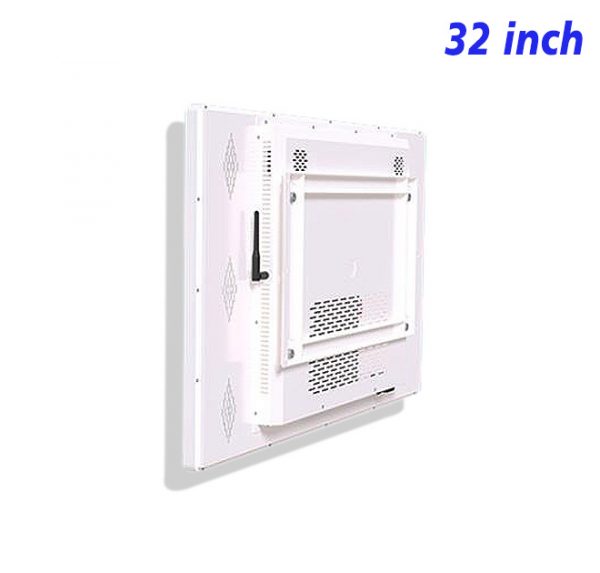
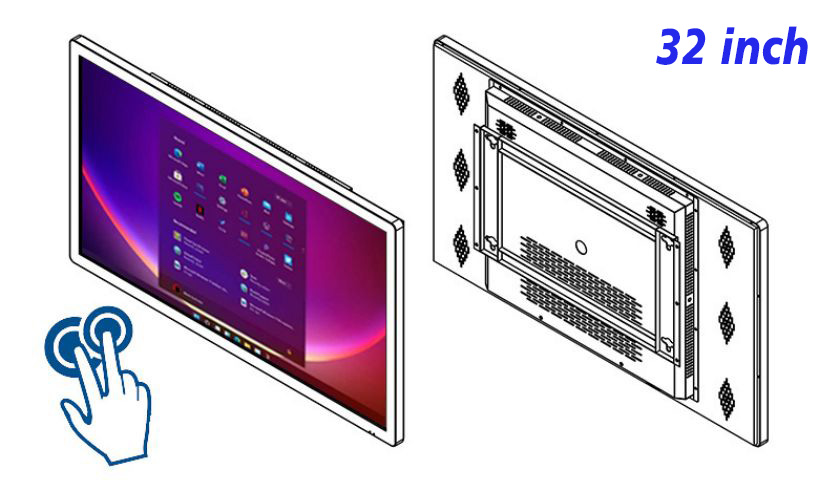
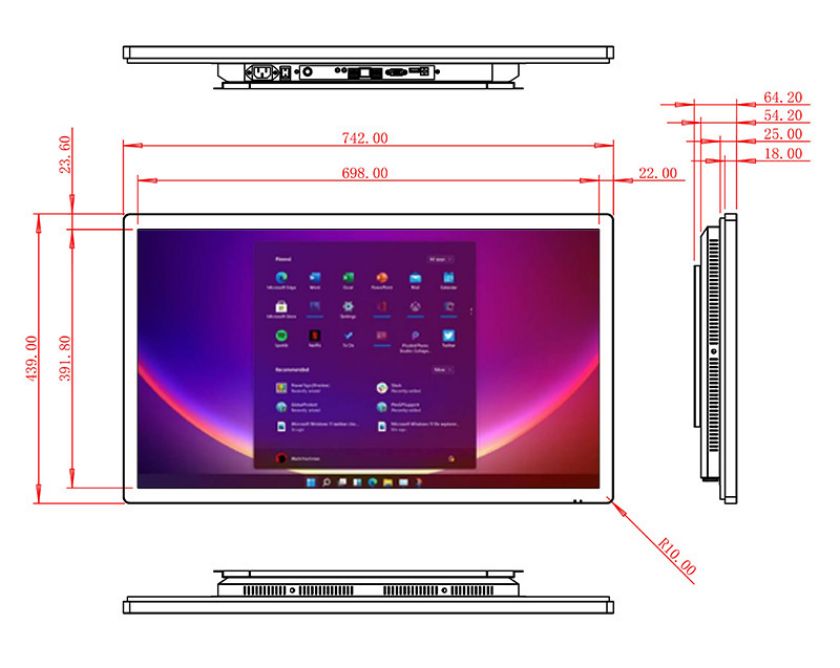
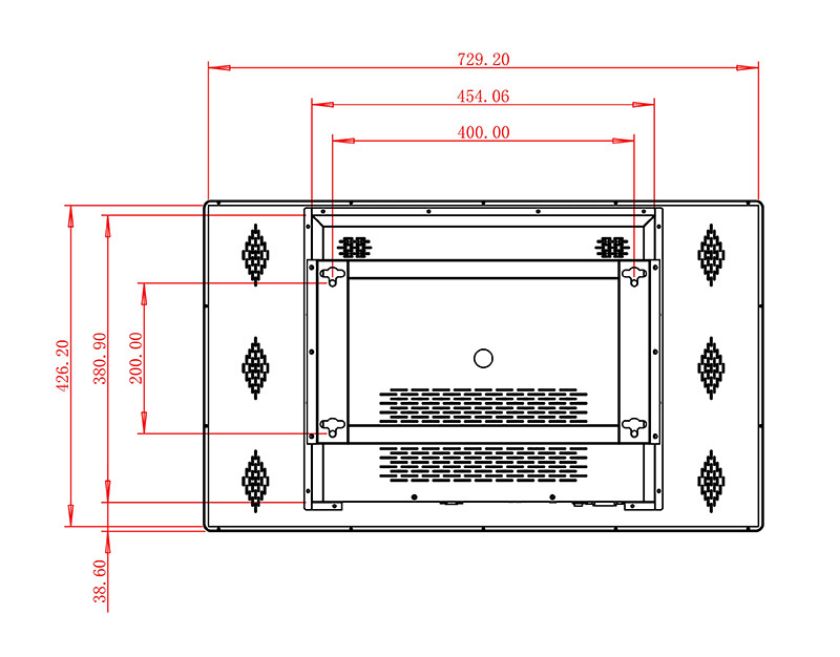
The 32 inch interactive touch screen PC uses a wall-based integrated form to keep computing, display and PCAP touch on one content path. Information density still needs restraint so the 32 inch view remains clear through repeated use.
Balance Touch Distance With Visual Reach
Balance Touch Distance With Visual Reach also has to support later content management. When an image, date or explanation changes, the original navigation remains valid, while obsolete entries and expired material disappear together instead of leaving contradictory states.
After an update, follow a common route from the home view and check media loading, touch feedback and return behavior. This keeps product storytelling in compact display areas coherent over time without rebuilding the entire structure for routine revisions.
End by Returning to the Complete Product
Once End by Returning to the Complete Product is complete, the default and idle states still deserve attention. A clean starting point is more useful than a detail page left open from the previous session, and it lets the product retain a clear visual subject while quiet.
Routine care covers screen cleanliness, touch response, media playback and content validity. The 32 inch interactive touch screen PC earns its role through consistently clear product presentation, not inflated promises or material unrelated to its actual purpose.
From a content-production perspective, the 32 inch interactive touch screen PC benefits from stable image ratios, heading length and control language. A hero image creates the first impression, close-ups explain features, short video shows change or process, and text supplies only what the media cannot communicate directly.
Questions About Product storytelling in compact display areas
How should imagery and text work together?
Let the main image establish the whole, use close-ups for features, and reserve text for material, process or purpose the image cannot explain alone. This keeps product storytelling in compact display areas clear throughout the product experience.
How long should a process video be?
Use one concise, pausable, captioned clip for each process stage rather than one uninterrupted long film. This keeps product storytelling in compact display areas clear throughout the product experience.
How can several ranges remain distinct?
Give each range its own cover, color cue and return route while retaining one information order on detail pages. This keeps product storytelling in compact display areas clear throughout the product experience.
When imagery, wording, touch feedback and return behavior work together around product storytelling in compact display areas, the 32 inch interactive touch screen PC turns its 32 inch display scale into a clear product experience that can remain manageable as content changes. Long-tail phrases are used only to explain this product; the page does not depend on a repeated template or unrelated subject matter to add length.
Bring Your Digital Content to Life
Use this commercial display to present promotions, product stories, menus, guidance and brand messages in an engaging digital format. Contact the ZXTLCD sales team to explore the configuration that best matches your application.
Reviews
There are no reviews yet.