
Airport Waiting Areas Need More Than Looped Playback
It brings flight updates, boarding steps, service facilities and important travel guidance together in the waiting area. Unlike a conventional advertising screen limited to looped playback, a touch all in one computer lets a visitor choose what to view, allowing the same device to support both visual promotion and practical information service.
In flight information, boarding guidance and service lookup in airport waiting areas, the 21.5 inch Android PCAP touchscreen monitor brings material once divided among posters, brochures and repeated staff explanations into one operable information point. It brings flight updates, boarding steps, service facilities and important travel guidance together in the waiting area, while allowing on-site teams to revise content as activities, classes, products or services change. For locations with limited space but continuous communication needs, this compact, updateable and interactive combination provides more practical value than a playback-only display.
Content for flight information, boarding guidance and service lookup in airport waiting areas can combine visual promotion, practical instructions, categorized information, frequently asked questions and selected interactive entries. This gives the display a clear marketing role while letting each visitor continue from the opening message into the specific information offered there.
How the Complete Product Integrates Display, Touch and Android
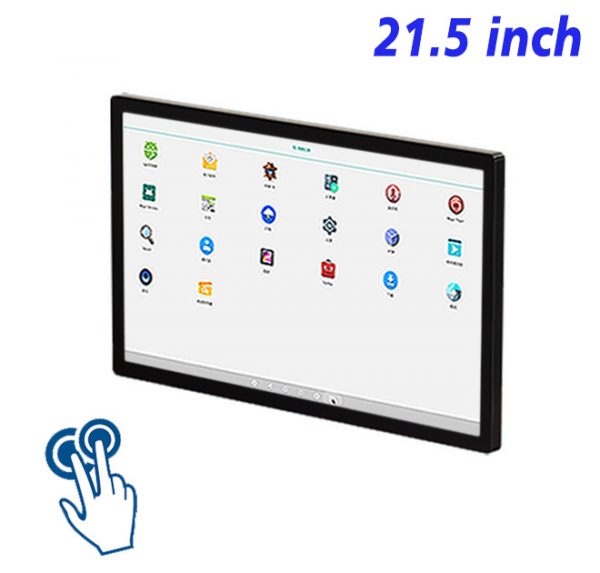
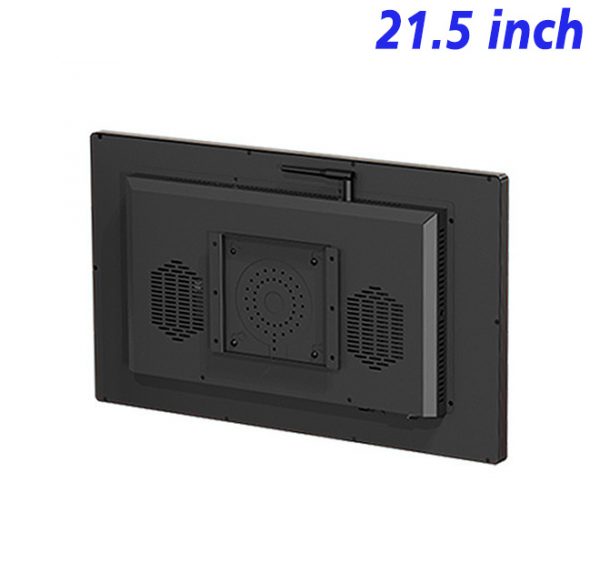
The 21.5 inch Android PCAP touchscreen monitor is a wall-mounted commercial device that combines a display, PCAP capacitive touch and a Android platform inside one enclosure. Built for flight information, boarding guidance and service lookup in airport waiting areas, it can present images, video and written information while also running interactive catalog, selection, registration or feedback pages.
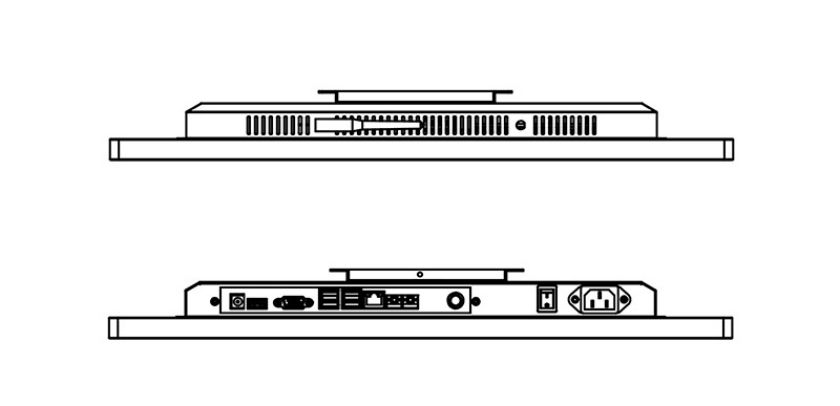
For flight information, boarding guidance and service lookup in airport waiting areas, integrating the display, touch layer and computer reduces the need for an external host, extra furniture and complicated connections. Once installed, the unit works as a dedicated information terminal and makes power, network and content operation easier to inspect.
Flight information, boarding guidance and service lookup in airport waiting areas can use web content, digital-signage applications, multimedia catalogs or other content designed for its Android environment. Computing configuration should match the software load, avoiding excessive hardware for simple playback while preventing weak performance from interrupting interaction.
PCAP Touch Makes Flight Services Searchable
For flight information, boarding guidance and service lookup in airport waiting areas, the flat PCAP capacitive surface provides an interaction style familiar from modern smart devices. Tapping, swiping, page changing and on-screen selection feel direct when browsing categories, images, explanations or simple forms.
For flight information, boarding guidance and service lookup in airport waiting areas, PCAP touch is more than an additional input method. It shortens the route between noticing the first message and reaching the relevant detail. Controls and layered pages can be arranged around this exact use, making information easier to explore without turning the product into a playback-only screen.
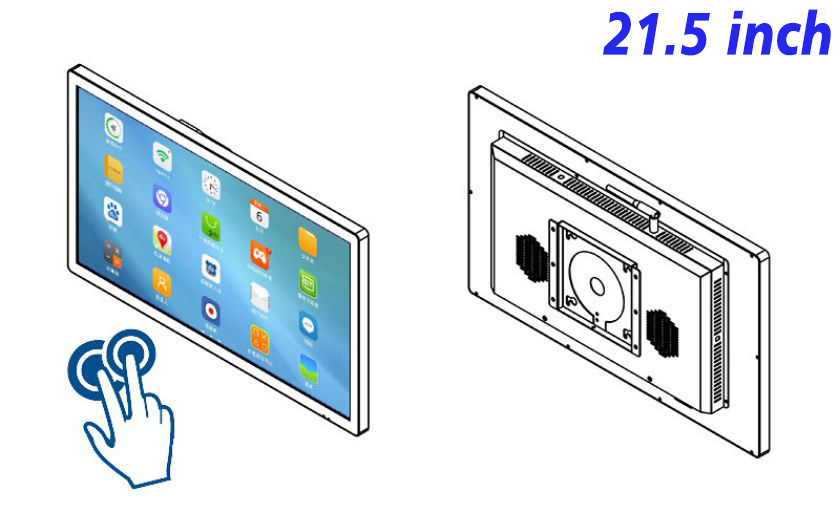
Screen Space and Wall-Mount Advantages
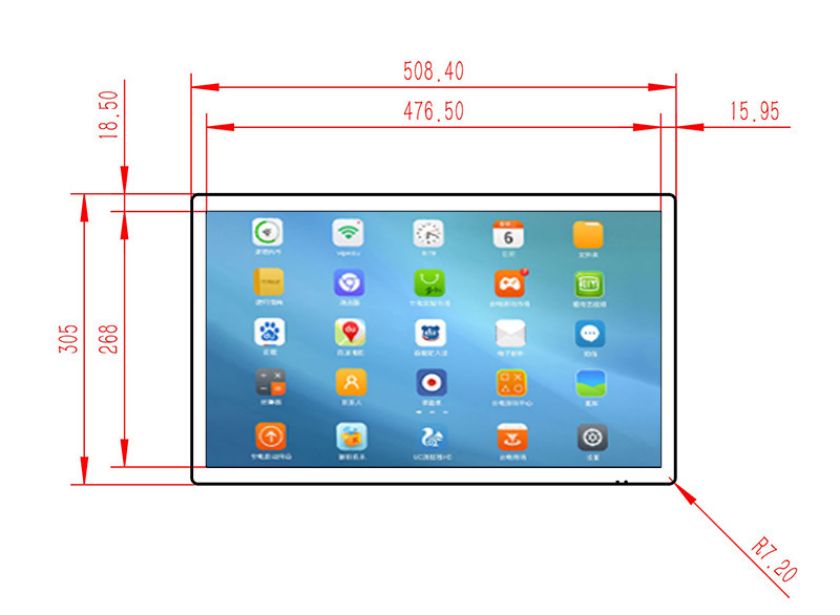
The 21.5 inch Android PCAP touchscreen monitor provides useful space for close-range imagery, headings, controls and concise explanations. Its practical display area balances readable information with close interaction near seating, service counters or gate corridors.
Wall mounting preserves aisles and floor area that a freestanding unit would occupy. Once height is chosen for flight information, boarding guidance and service lookup in airport waiting areas, the device can form a stable information point near an entrance, counter, waiting zone, corridor or product display.
Flight Updates, Installation Checks and Maintenance
When imagery, event dates, descriptions or pricing changes within flight information, boarding guidance and service lookup in airport waiting areas, the relevant digital page can be replaced without reproducing a complete set of printed materials. A shared content plan can also keep brand presentation consistent across several screens.
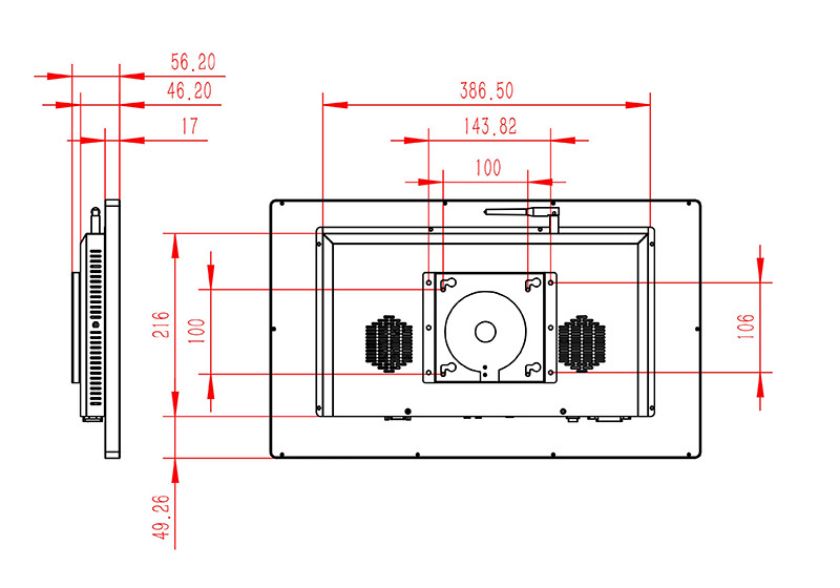
Before selecting this Android touch display for flight information, boarding guidance and service lookup in airport waiting areas, confirm wall support, available space, power, network conditions, intended content and daily operating time. Match Android hardware to the application load, and verify interface and software compatibility in advance if the installation will use cameras, readers, printers or other peripherals.
For flight information, boarding guidance and service lookup in airport waiting areas, routine care includes cleaning the touch surface, checking touch response, confirming media playback, keeping ventilation areas clear and removing expired content. Use a soft material suitable for displays and prevent cleaning liquid from entering the enclosure edges.
FAQ for Flight information, boarding guidance and service lookup in airport waiting areas
How does this Android touch all in one differ from a standard advertising screen?
A standard advertising screen mainly plays scheduled media. This product adds PCAP touch and an integrated Android platform, allowing selectable, searchable or form-based pages for flight information, boarding guidance and service lookup in airport waiting areas.
Does the unit require an external computer?
It is an integrated touch computer with display, touch and computing inside the enclosure. For flight information, boarding guidance and service lookup in airport waiting areas, the exact computer configuration should match the intended software and content workload.
What should be confirmed before wall installation?
For flight information, boarding guidance and service lookup in airport waiting areas, confirm wall support, mounting height, power, network access, ventilation and cleaning clearance. Plan cable routing so it does not interfere with nearby equipment or circulation.
Can it be used beyond flight information, boarding guidance and service lookup in airport waiting areas?
Yes. Beyond flight information, boarding guidance and service lookup in airport waiting areas, this unit can support product catalogs, information lookup, digital guidance, service registration, campaigns or feedback wherever close-range wall-mounted touch use is suitable.
The 21.5 inch Android PCAP touchscreen monitor combines compact display, PCAP touch, Android operation and wall installation in one device for flight information, boarding guidance and service lookup in airport waiting areas. Its main advantages are space efficiency, interactive content, reduced external hardware and the ability to keep marketing and service information current.
Bring Your Digital Content to Life
Use this commercial display to present promotions, product stories, menus, guidance and brand messages in an engaging digital format. Contact the ZXTLCD sales team to explore the configuration that best matches your application.
Reviews
There are no reviews yet.