
15.6-inch Wall-mounted Advertising Machine — A Powerful Tool for Enhancing Chain Store Image
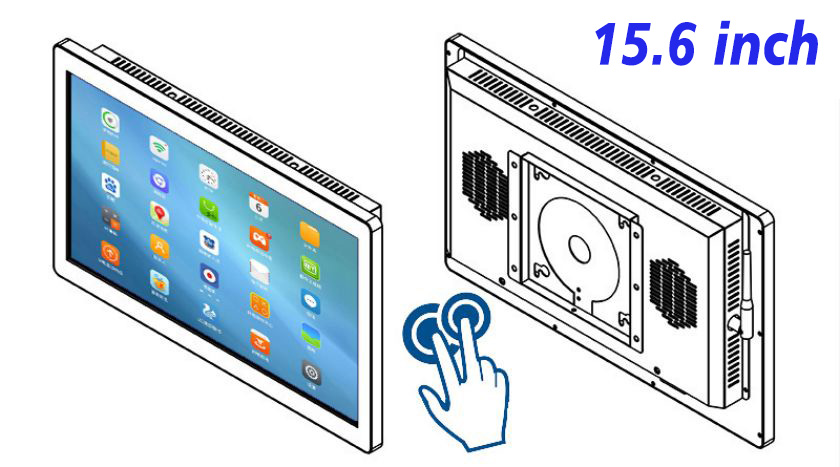
In a fiercely competitive market environment, how chain stores attract customers’ attention and enhance brand image has become particularly important. The 15.6-inch wall-mounted advertising machine, with its unique charm and functionality, is gradually becoming a key element for chain stores to enhance store image and improve customer experience.
HD Wall-Mounted Advertising All-in-One Machine — Presenting Clearer Information
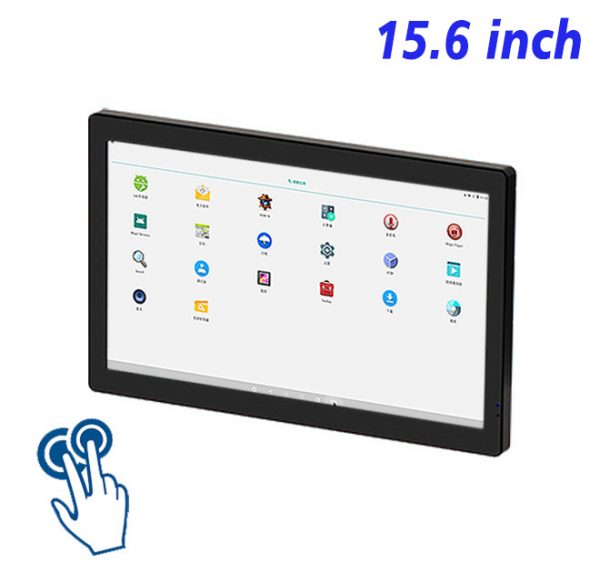
To leave a deep first impression on customers, chain stores need to have eye-catching visual displays. The HD wall-mounted advertising all-in-one machine features high-resolution display effects, whether showcasing new product launches, promotional activities, or brand stories, it can present detailed and realistic images to customers. This HD display effect not only enhances customer attention but also strengthens the brand recognition of chain stores.
LCD Screen Advertising Wall-Mounted Machine — Creating a Dedicated Promotion Platform
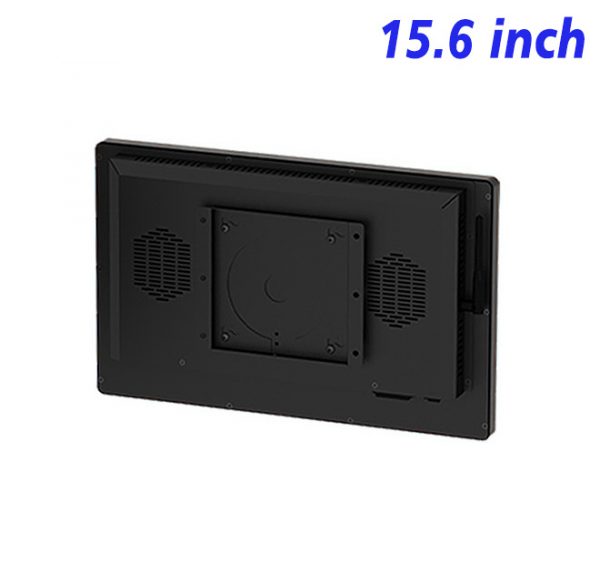
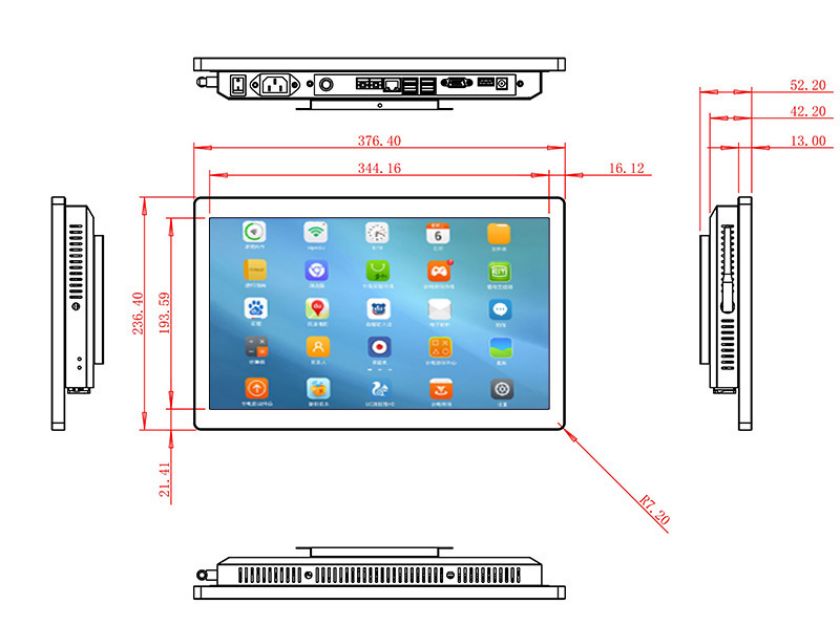
The 15.6-inch wall-mounted advertising machine not only has a simple and elegant appearance but is also easy and quick to install, making it very suitable for use in various spaces within chain stores. Whether in the front reception area, next to the cash register, or in the waiting area, it can be flexibly arranged according to actual needs. This LCD screen advertising wall-mounted machine can not only provide customers with practical information but also serve as an effective way for chain stores to showcase their unique features and culture.
15.6-inch wall-mounted advertising machine — Saving space and costs
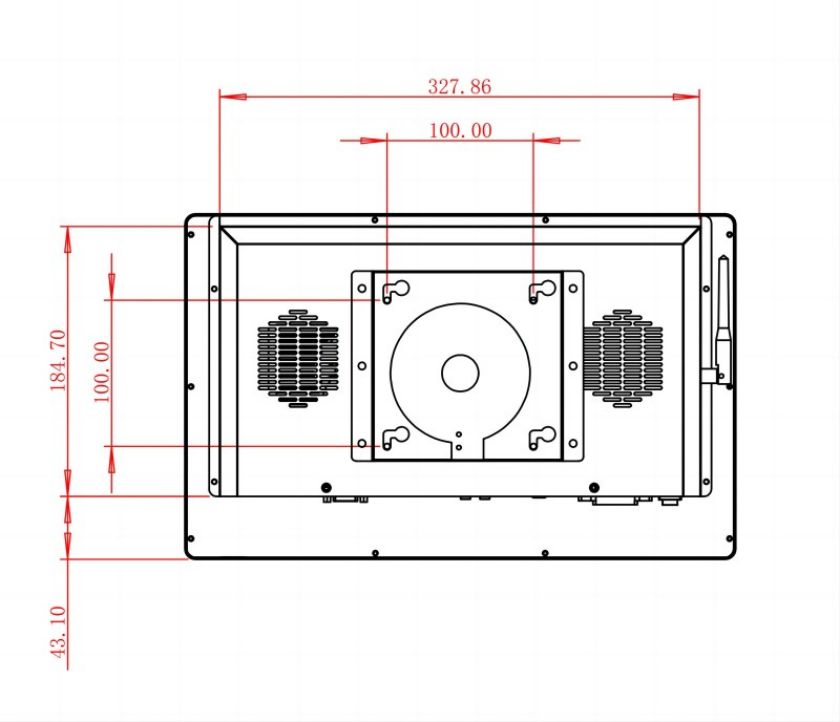
For chain stores, every inch of space is extremely valuable. The 15.6-inch wall-mounted advertising machine features a compact design that saves valuable store space while reducing the footprint through wall mounting, making the store layout more efficient. In addition, the maintenance costs of this advertising machine are relatively low, which can save a significant amount of expenses for chain stores over the long term.
LCD Screen Advertising Wall-Mounted Machine — Enhancing Customer Interaction Experience
By utilizing the LCD screen advertising wall-mounted machine, chain stores can more flexibly adjust advertising content, update promotional information in real-time, or showcase member discounts, thereby stimulating customer interest and purchasing desire. In addition, by showcasing the stories and cultural background of the chain, it can further bridge the gap with customers and strengthen brand loyalty.
HD Wall-Mounted Advertising All-in-One Machine — Boosting Chain Store Performance
Deploying HD wall-mounted advertising all-in-one machines in chain stores not only enhances the overall ambiance of the store but also promotes sales growth. By precisely delivering advertisements and promotional information, chain stores can more effectively attract their target customer groups and increase conversion rates. At the same time, this type of advertising machine can also serve as a tool for collecting customer feedback and analyzing data, helping chain stores continuously optimize their business strategies.
The 15.6-inch wall-mounted advertising machine, as an efficient and attractive promotional tool, is gradually becoming an important component for chain stores to enhance brand image and improve customer experience. From both visual impact and practicality perspectives, this advertising machine will be an invaluable assistant for chain stores. With the development of technology, the 15.6-inch wall-mounted advertising machine will play an increasingly important role in the marketing strategies of chain stores, becoming one of the key trends for their future development.
评价
目前还没有评价